
5 Sneaky Things Slowing Down Your Wi-Fi (And How to Fix Them)

Slow Wi-Fi doesn’t always mean you need faster internet. In many cases, the problem isn’t your speed at all, it’s interference inside your home. Your Wi-Fi signal is sensitive, and everyday objects can weaken, block, or disrupt it without you realizing.
Here are the top five hidden Wi-Fi killers and what you can do to fix them.
1. Walls, Floors & Building Materials
Not all walls are created equal. Some materials block Wi-Fi far more than others.
Problem
Wi-Fi signals weaken when they pass through:
Concrete
Brick or stone
Metal studs
Tile bathrooms
Thick floors between stories
This can create dead zones even if your internet plan is plenty fast. This is also true for outside structures with metal roofs or siding; like barns and sheds.
The Fix
Place your router in a central, open location.
Avoid closets, cabinets, or placing it against brick or concrete walls.
If your home has multiple levels, position the router as centrally as possible, not in a basement corner.
Always remember, the farther a device is from your router, the more likely it is to experience performance issues.
2. Other Electronics That Cause Interference
Believe it or not, your Wi-Fi shares airwaves with many household gadgets.
Common Interfering Devices
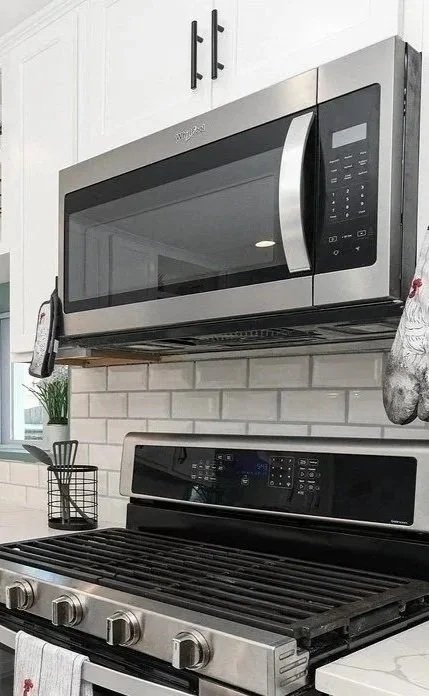
Microwaves
Baby monitors
Bluetooth devices
Smart home hubs
Cordless landline phones
Wireless cameras
These devices can interrupt the 2.4 GHz band, the same frequency older or long-range Wi-Fi uses.
The Fix
Keep your router away from other electronics.
If possible, connect smart devices to the 2.4 GHz band and keep your phones/laptops on 5 GHz or Wi-Fi 6 for better performance.
When possible, connect as many devices as possible via a wired connection.
3. Your Furniture & Home Décor
Yes, your décor can affect your internet.
Problem
Large bookshelves
Fish tanks
Metal furniture
Mirrors
TV stands
All of these can absorb or reflect wireless signals, leading to slow speeds or inconsistent performance.
The Fix
Keep your router off the floor and on a table or shelf.
Avoid hiding it behind large furniture or inside cabinets.
Keep routers away from water (like aquariums) which absorbs Wi-Fi signals.
4. Neighbors’ Wi-Fi Networks
If you live in an apartment, duplex, or neighborhood with close homes, other networks can interfere with yours.
Problem
Routers broadcast on channels, and if you and your neighbors use the same channel, congestion happens, slowing everyone down. Another
The Fix
Use your router’s “auto channel” feature or allow NCWCOM technicians to optimize it.
If possible, use the 5 GHz band, which has more channels and less overlap.
Upgrade older routers to Wi-Fi 6, which handles crowded environments much better.
5. Your Router Might Be Outdated
Even a perfectly placed router can struggle if it’s simply too old.
Signs It’s Time for an Upgrade
Slow speeds even when wired
Frequent disconnects
Only broadcasts a 2.4 GHz network
Over 3-4 years old
Trouble supporting multiple smart devices
Newer routers offer:
Faster speeds
Better signal range
Less interference
Stronger security
Better performance with multiple devices
The Fix
Upgrade to a modern Wi-Fi 6 or mesh Wi-Fi system.
If your home is large, a mesh system may eliminate dead zones far better than a single router or extender.

Final Thoughts
Wi-Fi performance is about more than just download speeds; it’s about placement, interference, and the equipment you use. By understanding these hidden obstacles, you can dramatically improve your internet experience without spending more each month.
At NCWCOM, our team can help assess your setup, recommend the right router, and ensure you’re getting the best possible connection throughout your home.
👉 Don’t want to deal with Wi-Fi headaches yourself? We’ve got you covered. With our Worry-Free Managed Wi-Fi service, we provide a commercial-grade router, automatic updates, and ongoing performance monitoring to ensure you’re always getting the best possible internet experience, without you lifting a finger!
Please feel free to contact NCWCOM if you have any further questions!