

You’ve probably seen advertisements for VPNs promising to make you “anonymous,” “secure,” or “private” online. Maybe you’ve even had a VPN company pop up while you were browsing the web and wondered: Do I actually need a VPN?
Answer: VPNs can be useful tools, but they are also surrounded by a lot of confusing marketing. A VPN does not make you completely anonymous online, and not everyone needs one for everyday internet use.
So, what exactly does a VPN do, and when does it make sense to use one?
What Is a VPN?
VPN stands for Virtual Private Network.
Normally, when you connect to the internet, your device communicates with websites and online services through your internet connection. Your Internet Service Provider, like NCWCOM, helps carry that traffic between your home network and the wider internet.
A VPN creates an encrypted connection, often called a VPN tunnel, between your device and a VPN server. So, Instead of your internet traffic going directly from your device to the websites you're visiting, the VPN routes that traffic through its server first.
Think of it like sending a package.
Without a VPN, your package travels from your home to its destination using the normal delivery network.
With a VPN, you put that package inside another sealed package and send it to the VPN provider first. The VPN provider then sends it on to the final destination.
The important part is that the connection between your device and the VPN server is encrypted.
What Does a VPN Actually Hide?
One of the biggest reasons people use VPNs is privacy.
When you're connected to a VPN, your ISP generally cannot see the specific websites or online services you're accessing through the VPN connection. Instead, it sees that you're connected to a VPN server.
Also, the websites you visit will generally see the VPN server's IP address rather than your home's IP address. An IP Address is a unique numerical label assigned to every device connected to a computer network, it acts like a digital mailing address.
This can make it more difficult for websites and other parties to associate your online activity with your home internet connection. But there's an important distinction: A VPN provides privacy. It does not make you invisible.
If you log into Facebook, Google, Amazon, your bank, or another account, those services still know that you're using your account. Likewise, websites can still use cookies, browser fingerprinting, account information, and other technologies to identify or track users.
A VPN changes where your internet traffic appears to come from. It doesn't erase your digital footprint.
Does a VPN Make You Totally Anonymous?
Not completely. This is one of the biggest misconceptions about VPNs.
A VPN can hide your IP address from the websites you visit and hide the specific destinations of your traffic from your ISP. But the VPN provider itself becomes another party that can potentially see information about your connection.
That's why choosing a trustworthy VPN provider matters.
VPN companies have different privacy policies, logging practices, business models, and security features. Some free VPN services may collect information about their users or use advertising to generate revenue.
Before choosing a VPN, it's worth reading the provider's privacy policy and understanding what information it collects, how long it keeps that information, and whether it shares information with third parties.
In other words, using a VPN isn't automatically a privacy upgrade if you simply move your trust from one company to another without checking how that company operates.

When Is a VPN Useful?
There are several situations where using a VPN can make sense.
1. Using Public Wi-Fi
Coffee shops, hotels, airports, libraries, and other public locations often provide Wi-Fi for customers and visitors.
Modern websites increasingly use HTTPS encryption, which provides important protection even when you're not using a VPN. However, a VPN can add another layer of encryption between your device and the VPN server.
If you frequently use public Wi-Fi, particularly for sensitive activities, a reputable VPN can be a useful additional privacy tool.
2. Traveling
A VPN can be especially useful when traveling.
You may connect to unfamiliar networks in hotels, airports, restaurants, or other public locations. A VPN can help protect your traffic while you're using those networks.
It can also allow you to connect through a server in another location, which can sometimes be useful when accessing services while traveling.
However, websites and streaming services may have their own rules about VPN usage, so a VPN doesn't guarantee access to every service from every location.
3. You Want More Privacy From Your ISP
Your ISP handles your internet connection, so it can potentially see information about where your traffic is going.
A VPN encrypts the connection between your device and the VPN server, meaning your ISP generally sees the VPN connection rather than the specific destinations you're accessing through it.
For people who place a high value on online privacy, this can be an important reason to use a VPN.
4. You Frequently Work Remotely
Businesses sometimes use VPNs to allow employees to securely connect to company networks and resources from outside the office. This is a different use case from the consumer VPN services advertised for personal privacy.
If your employer provides a VPN for work, you should generally use the company's approved VPN rather than choosing your own service.
When Do You Probably Not Need a VPN?
For many people, a VPN isn't something they need to have running every time they go online.
If you're sitting at home on your own secure Wi-Fi network, visiting reputable websites, keeping your devices updated, and using strong passwords and multi-factor authentication, you already have several important layers of protection.
A VPN isn't a replacement for those basic security practices.
For example, a VPN won't:
Stop you from clicking a phishing link
Prevent malware from being downloaded
Protect an account with a weak password
Stop someone from stealing your password if you give it to them
Prevent a scammer from contacting you
Make an unsafe website trustworthy
Stop a company from tracking activity associated with an account you log into
Replace antivirus or other security protections
Think of a VPN as one tool in your privacy and security toolbox, not the entire toolbox.
What About VPNs and Internet Speed?
There's another thing to consider. Because your traffic is being routed through a VPN server, using a VPN can sometimes affect your internet performance.
Your connection may travel farther, pass through additional network equipment, or experience congestion at the VPN server. Encryption and decryption can also require additional processing.
The result can sometimes be higher latency or lower speeds.
How noticeable the difference is depends on several factors, including the VPN provider, server location, your connection, the type of activity you're doing, and the quality of the VPN service.
For basic web browsing, you may barely notice a difference. For activities such as online gaming, video calls, or other latency-sensitive applications, the difference can sometimes be more noticeable.
This is another reason not to assume that a VPN automatically makes your internet connection "better."
Free VPNs vs. Paid VPNs
If you decide you want to use a VPN, you'll quickly discover that there are plenty of free options.
But remember: If you aren't paying for the product, it's worth asking how the company makes money.
Some free VPN providers may have limitations on speed, data usage, server locations, or features. Others may rely on advertising or collect certain information about their users.
That doesn't mean every free VPN is bad, but it does mean you should do your homework before trusting a service with your internet traffic.
A reputable paid VPN may offer more servers, better performance, additional security features, and clearer privacy policies.
The important thing is to evaluate the provider rather than simply choosing the cheapest option.
VPN vs. Antivirus: What's the Difference?
VPNs and antivirus software protect against different things.
A VPN protects the connection. It encrypts traffic between your device and the VPN server and can hide your IP address from the websites you visit.
Antivirus software protects the device. It can help detect and block malicious software and other threats.
Imagine your computer is your house:
VPN: Builds a private, secure road from your house to the places you're visiting. People along the road have a harder time seeing where you're going or what you're carrying.
Antivirus: Is the security system inside your house, checking for burglars, suspicious activity, and dangerous things that make it inside.
Neither one replaces the other.
What About Your Home Wi-Fi?
If you're primarily concerned about protecting your home internet connection, don't overlook the security of your Wi-Fi network itself. Having a VPN has little to do with home Wi-Fi security.
You should be using a strong Wi-Fi password, keeping your router's firmware and software up to date, and make sure your router is using modern security standards.
It is also important to be careful about which devices you connect to your network. Smart TVs, cameras, speakers, thermostats, appliances, and other connected devices can all become part of your home network.
Keeping your network and devices properly configured is an important part of online security, whether or not you use a VPN.
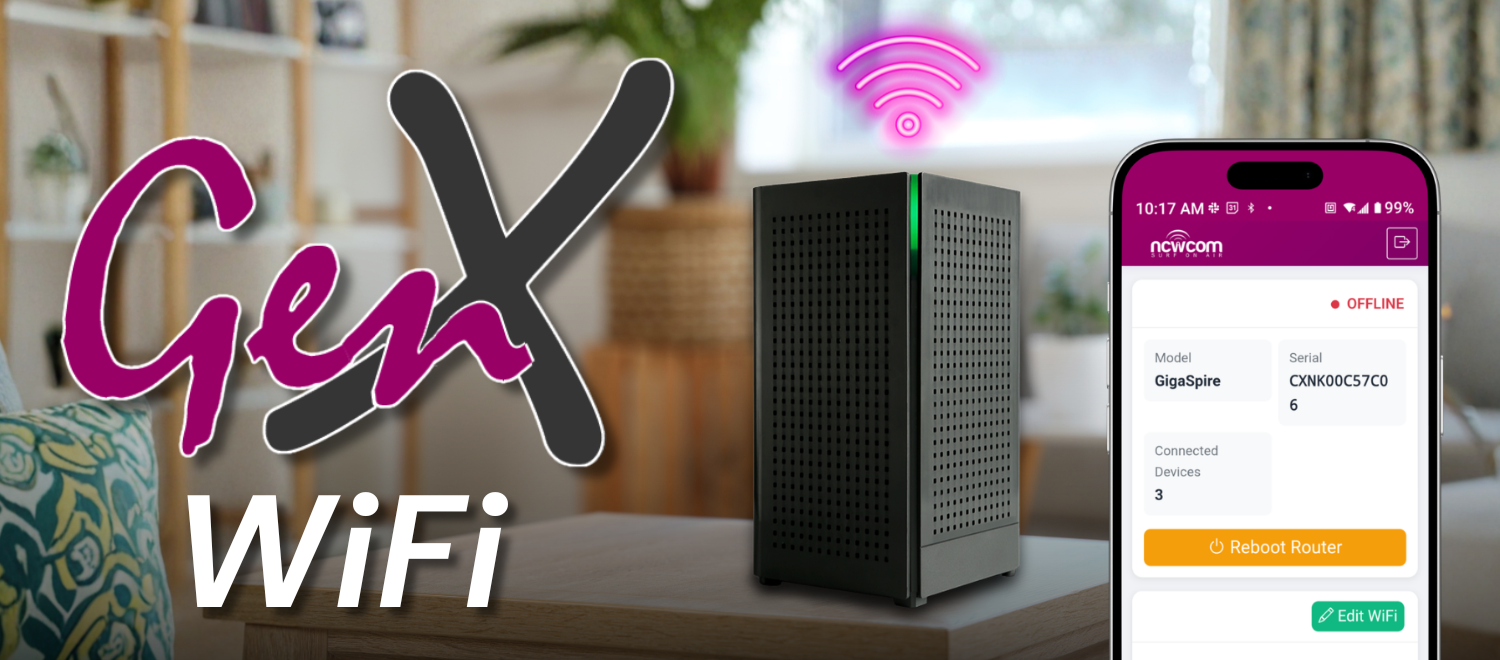
For NCWCOM customers using our Managed Wi-Fi Service, our network management tools provide another way to keep an eye on your home network. Our FREE GenX WiFi app allows customers to see connected devices, monitor network health, manage their Wi-Fi settings, reboot their router remotely, and view router activity history.
A VPN and Managed Wi-Fi solve different problems, but both can be part of a larger approach to managing your digital life.
So, Do You Really Need a VPN?
For most people, the answer isn't simply yes or no.
If you regularly use public Wi-Fi, travel frequently, work remotely, or want additional privacy from your ISP, a reputable VPN may be worth considering.
If you primarily use your internet connection at home and already follow good security practices, you may not feel that you need one.
The important thing is understanding what a VPN actually does before paying for one.
A VPN can encrypt your connection to a VPN server and hide your IP address from the websites you visit. But it won't make you completely anonymous, protect you from every online threat, or replace good security habits.
The best online security strategy isn't one magic tool. It's multiple layers working together.
Use strong, unique passwords. Turn on multi-factor authentication. Keep your devices and apps updated. Secure your home Wi-Fi. Be cautious with unfamiliar links and download requests. And if a VPN makes sense for the way you use the internet, choose a reputable provider and understand its privacy practices.
The more you understand about how your internet connection works, the easier it becomes to decide which tools you actually need.
Final Thought
Instead of asking, "Do I need a VPN?", a better question is: "What am I trying to protect, and is a VPN the right tool for that job?"
Understanding the difference can help you spend your money wisely, protect your privacy, and avoid falling for marketing that makes a VPN sound like a magic shield for everything you do online.
If you have further questions about this, you are more than welcome to contact us for additional information!